


- Home
- Vertical

- Products
- Company
- Support


How to Apply for GPRA Accommodation via eSampada and eAwas
Published:
02nd February, 2026
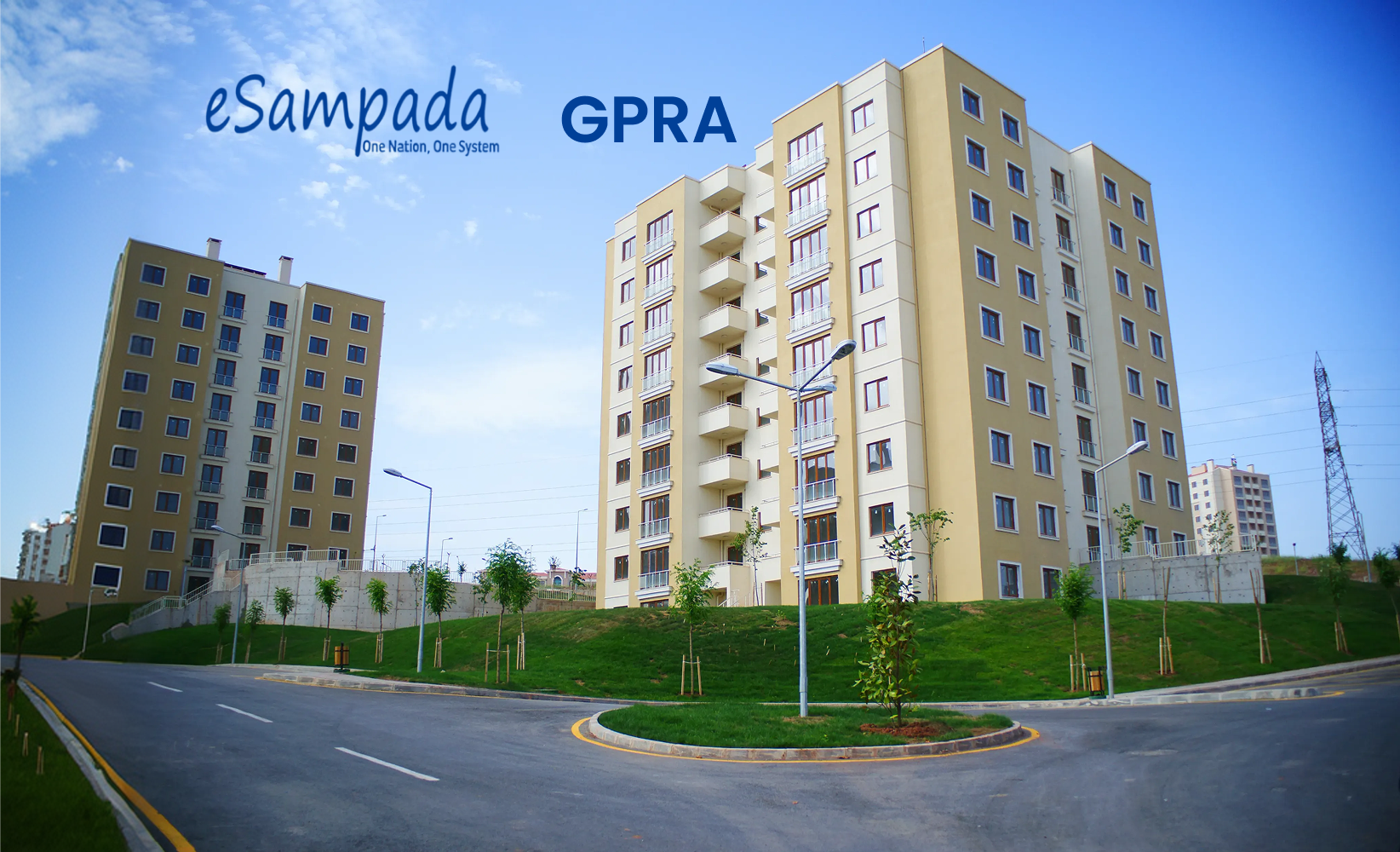
For central government employees in India, securing a home in the General Pool Residential Accommodation (GPRA) is a significant milestone. Managed by the Directorate of Estates (DoE), these allotments offer affordable, secure, and well-maintained housing in major cities across the country.
Historically, the process was handled through multiple legacy systems, most notably eAwas. However, in line with the “Digital India” vision, the Ministry of Housing and Urban Affairs launched eSampada—a single-window services portal that has revolutionized the eSampada GPRA application online process.
This comprehensive guide provides an exhaustive, step-by-step walkthrough for government officials looking to navigate the GPRA allotment system, covering everything from registration to bid submission and final allotment.
Part 1: Understanding GPRA and the Evolution of eSampada
The General Pool Residential Accommodation (GPRA) consists of a vast inventory of residential units under the control of the Directorate of Estates. These units are located in Delhi and over 65 other cities, including Kolkata, Mumbai, Chennai, and Chandigarh.
What is eSampada?
Launched in December 2020, eSampada replaced the older eAwas portal. It serves as a unified platform for:
- Allotment of Government Residential Accommodation.
- Booking of Holiday Homes and Touring Officers’ Hostels.
- Booking of Venues for Marriages (e.g., 5 Ashoka Road).
- Allotment of Office Space.
The transition to eSampada has made the GPRA system more transparent, reducing human intervention and providing real-time tracking of applications. While government employees often seek Business Loans or Small Business Loans for family ventures, understanding the nuances of their primary residence allotment is crucial for long-term financial planning.
Part 2: Eligibility Criteria for GPRA Allotment
Before starting your eSampada GPRA application online, it is vital to understand if you qualify.
- Workplace Location: The applicant must be working in a Government Office in Delhi or other notified cities.
- Office Eligibility: The applicant’s office must be part of the “eligible offices” list approved by the Directorate of Estates.
- Pay Level: The type of accommodation (Type I to Type VII/VIII) is determined by the applicant’s Grade Pay or Level in the Pay Matrix as per the 7th CPC.
- Ownership Restrictions: If an employee or their spouse/dependent children own a house in the city of posting, they may still apply, but they will be charged a higher license fee (Market Rent).
Part 3: Step-by-Step Guide to eSampada GPRA Application Online
The application process is entirely digital. Follow these steps to register and apply:
Step 1: Registration and Profile Creation
1. Visit the official eSampada portal (**esampada.mohua.gov.in**).
2. Click on the ‘Login’ button. If you are a new user, select ‘Sign Up’.
3. Enter your personal details, including name, mobile number, and email ID.
4. Verify your account using the OTP sent to your mobile.
5. Critical Step: Update your profile with your official designation, pay level, and office details. This profile must be verified by your Administrative Officer (DDO/HOO) before you can proceed with a GPRA bid.
Step 2: Filling the DE-II Form
Once your profile is verified, you must fill out the **DE-II Form**. This is the primary document for residential accommodation.
1. Log in and navigate to ‘Residential Accommodation’.
2. Fill in your date of joining and date of retirement.
3. Upload a passport-sized photograph and a signature in the prescribed format.
4. Once submitted, this form goes to your Nodal Officer for digital approval.
Step 3: Checking Allotment Cycles
The DoE releases monthly allotment cycles for various types of houses.
1. Monitor the eSampada dashboard for ‘Active Bidding’.
2. The portal allows you to see the number of vacant units available in your eligible category.
Step 4: The Bidding Process (Automated System)
Unlike the old eAwas system, eSampada uses an **Automated System of Allotment (ASA)**.
1. Select the ‘Bidding’ option.
2. Choose the areas where you would like to live. You can select multiple preferences.
3. Submit your bid during the open window (usually between the 1st and 9th of every month).
Part 4: The Allotment Logic – How GPRA Units are Assigned
The allotment of GPRA units is strictly based on seniority. However, “seniority” is defined differently based on the house type:
- Lower Types (Type I to IV): Seniority is determined by the date of joining the government service.
- Higher Types (Type IV Special and above): Seniority is determined by the date from which the applicant has been continuously drawing a specific Pay Level.
If two people have the same seniority date, the person retiring earlier is given preference. This level of transparency is similar to how we evaluate transparency in a Vyapari Loan application, where clear data points drive the decision-making process.
Part 5: Post-Allotment Formalities
If you are successful in the bidding process, an allotment letter will be generated on the eSampada portal on the 10th of the month.
- Acceptance: You must accept the allotment online within **8 days**. Failure to do so will result in a “debarment” from applying for a house for the next 3 months (initial allotment) or 6 months (change of accommodation).
- Physical Possession: After online acceptance, the Authority Slip is generated. Take this slip to the concerned CPWD inquiry office to collect the keys.
- Technical Inspection: Before moving in, ensure a technical inspection is done to note any existing damages or required repairs. Obtain the Physical Occupation Report signed by the Junior Engineer.
- Licence Fee: The monthly license fee will be deducted directly from your salary.
Part 6: Important Rules and Penalties
Living in government accommodation comes with strict regulations:
- Subletting: Sharing or subletting your GPRA unit is a serious offence. If caught, the employee faces immediate eviction and disciplinary action.
- Retention of Accommodation: Upon retirement, death, or transfer, there are specific grace periods (usually 4 to 8 months) for retaining the house.
- Home Improvement: Structural changes are not allowed. However, for minor functional improvements, employees often take a Small Business Loan to fund small-scale personal ventures operated from their residence (within legal limits).
Part 7: eAwas vs. eSampada – What Changed?
Many veterans are still used to the eAwas terminology. Here is a quick comparison:
Feature
eAwas (Legacy)
eSampada (Current)
Interface
Multiple websites for different cities.
Single portal for all of India.
Verification
Manual paper-based verification.
Fully digital verification via DDOs.
Services
Only residential housing.
Housing, Hostels, Holiday Homes, and Offices.
Mobile Access
Desktop-centric.
Dedicated eSampada Mobile App available.
Part 8: Financial Planning for Government Employees
While living in GPRA housing significantly reduces your monthly expenses compared to private rentals, it is wise to use those savings for wealth creation. Many officials utilize the stability of their government job to invest in property or start family businesses.
If you are looking to purchase your own property while living in government quarters, you might consider a Loan Against Property on an existing ancestral asset to fund the down payment of your future “forever home.”
Conclusion: Embracing the Digital GPRA Journey
The eSampada GPRA application online system has brought unprecedented ease to government housing. By consolidating the old eAwas functions into a sleek, transparent portal, the Directorate of Estates has ensured that every eligible official has a fair shot at a government home.
To succeed in your application, stay proactive: keep your profile updated, monitor bidding cycles monthly, and ensure your DDO is prompt with digital verifications. Whether you are at the start of your career in a Type I quarter or a senior official in a Type VI bungalow, eSampada is your gateway to a secure residence.
For central government employees in India, securing a home in the General Pool Residential Accommodation (GPRA) is a significant milestone. Managed by the Directorate of Estates (DoE), these allotments offer affordable, secure, and well-maintained housing in major cities across the country.
Historically, the process was handled through multiple legacy systems, most notably eAwas. However, in line with the “Digital India” vision, the Ministry of Housing and Urban Affairs launched eSampada—a single-window services portal that has revolutionized the eSampada GPRA application online process.
This comprehensive guide provides an exhaustive, step-by-step walkthrough for government officials looking to navigate the GPRA allotment system, covering everything from registration to bid submission and final allotment.
The General Pool Residential Accommodation (GPRA) consists of a vast inventory of residential units under the control of the Directorate of Estates. These units are located in Delhi and over 65 other cities, including Kolkata, Mumbai, Chennai, and Chandigarh.
What is eSampada?
Launched in December 2020, eSampada replaced the older eAwas portal. It serves as a unified platform for:
- Allotment of Government Residential Accommodation.
- Booking of Holiday Homes and Touring Officers’ Hostels.
- Booking of Venues for Marriages (e.g., 5 Ashoka Road).
- Allotment of Office Space.
The transition to eSampada has made the GPRA system more transparent, reducing human intervention and providing real-time tracking of applications. While government employees often seek Business Loans or Small Business Loans for family ventures, understanding the nuances of their primary residence allotment is crucial for long-term financial planning.
Before starting your eSampada GPRA application online, it is vital to understand if you qualify.
- Workplace Location: The applicant must be working in a Government Office in Delhi or other notified cities.
- Office Eligibility: The applicant’s office must be part of the “eligible offices” list approved by the Directorate of Estates.
- Pay Level: The type of accommodation (Type I to Type VII/VIII) is determined by the applicant’s Grade Pay or Level in the Pay Matrix as per the 7th CPC.
- Ownership Restrictions: If an employee or their spouse/dependent children own a house in the city of posting, they may still apply, but they will be charged a higher license fee (Market Rent).
The application process is entirely digital. Follow these steps to register and apply:
Step 1: Registration and Profile Creation
1. Visit the official eSampada portal (**esampada.mohua.gov.in**).
2. Click on the ‘Login’ button. If you are a new user, select ‘Sign Up’.
3. Enter your personal details, including name, mobile number, and email ID.
4. Verify your account using the OTP sent to your mobile.
5. Critical Step: Update your profile with your official designation, pay level, and office details. This profile must be verified by your Administrative Officer (DDO/HOO) before you can proceed with a GPRA bid.
Step 2: Filling the DE-II Form
Once your profile is verified, you must fill out the **DE-II Form**. This is the primary document for residential accommodation.
1. Log in and navigate to ‘Residential Accommodation’.
2. Fill in your date of joining and date of retirement.
3. Upload a passport-sized photograph and a signature in the prescribed format.
4. Once submitted, this form goes to your Nodal Officer for digital approval.
Step 3: Checking Allotment Cycles
The DoE releases monthly allotment cycles for various types of houses.
1. Monitor the eSampada dashboard for ‘Active Bidding’.
2. The portal allows you to see the number of vacant units available in your eligible category.
Step 4: The Bidding Process (Automated System)
Unlike the old eAwas system, eSampada uses an **Automated System of Allotment (ASA)**.
1. Select the ‘Bidding’ option.
2. Choose the areas where you would like to live. You can select multiple preferences.
3. Submit your bid during the open window (usually between the 1st and 9th of every month).
The allotment of GPRA units is strictly based on seniority. However, “seniority” is defined differently based on the house type:
- Lower Types (Type I to IV): Seniority is determined by the date of joining the government service.
- Higher Types (Type IV Special and above): Seniority is determined by the date from which the applicant has been continuously drawing a specific Pay Level.
If two people have the same seniority date, the person retiring earlier is given preference. This level of transparency is similar to how we evaluate transparency in a Vyapari Loan application, where clear data points drive the decision-making process.
If you are successful in the bidding process, an allotment letter will be generated on the eSampada portal on the 10th of the month.
- Acceptance: You must accept the allotment online within **8 days**. Failure to do so will result in a “debarment” from applying for a house for the next 3 months (initial allotment) or 6 months (change of accommodation).
- Physical Possession: After online acceptance, the Authority Slip is generated. Take this slip to the concerned CPWD inquiry office to collect the keys.
- Technical Inspection: Before moving in, ensure a technical inspection is done to note any existing damages or required repairs. Obtain the Physical Occupation Report signed by the Junior Engineer.
- Licence Fee: The monthly license fee will be deducted directly from your salary.
Living in government accommodation comes with strict regulations:
- Subletting: Sharing or subletting your GPRA unit is a serious offence. If caught, the employee faces immediate eviction and disciplinary action.
- Retention of Accommodation: Upon retirement, death, or transfer, there are specific grace periods (usually 4 to 8 months) for retaining the house.
- Home Improvement: Structural changes are not allowed. However, for minor functional improvements, employees often take a Small Business Loan to fund small-scale personal ventures operated from their residence (within legal limits).
Many veterans are still used to the eAwas terminology. Here is a quick comparison:
| Feature | eAwas (Legacy) | eSampada (Current) |
|---|---|---|
| Interface | Multiple websites for different cities. | Single portal for all of India. |
| Verification | Manual paper-based verification. | Fully digital verification via DDOs. |
| Services | Only residential housing. | Housing, Hostels, Holiday Homes, and Offices. |
| Mobile Access | Desktop-centric. | Dedicated eSampada Mobile App available. |
While living in GPRA housing significantly reduces your monthly expenses compared to private rentals, it is wise to use those savings for wealth creation. Many officials utilize the stability of their government job to invest in property or start family businesses.
If you are looking to purchase your own property while living in government quarters, you might consider a Loan Against Property on an existing ancestral asset to fund the down payment of your future “forever home.”
The eSampada GPRA application online system has brought unprecedented ease to government housing. By consolidating the old eAwas functions into a sleek, transparent portal, the Directorate of Estates has ensured that every eligible official has a fair shot at a government home.
To succeed in your application, stay proactive: keep your profile updated, monitor bidding cycles monthly, and ensure your DDO is prompt with digital verifications. Whether you are at the start of your career in a Type I quarter or a senior official in a Type VI bungalow, eSampada is your gateway to a secure residence.
Share On :
Popular Blogs

20th September, 2026
MSME Definition and Classification: What Size Business Qualifies for MSME Loan
Discover the MSME definition and classification to find if your business qualifies for an MSME loan. Learn about MSME eligibility and the differences between government and lender criteria.

14th September, 2026
Home Loan Processing Fees: An Essential Guide for Buyers
Discover what home loan processing fees cover, if they're refundable, and how they impact your loan. Trust Credit Saison India for clear upfront lending.
Share On :

Products
Download Credit Saison India App


Follow us on


Credit Saison India is the trade name of Kisetsu Saison Finance (India) Private Limited (CIN: U65999KA2018FTC113783), a non-banking finance company (NBFC) registered with the RBI.
Registered Office Address:
IndiQube Lexington Tower, First Floor, Tavarekere Main Rd, Tavarekere,
S.G. Palya, Bengaluru, Karnataka 560029
- Investors
- Partners
- Insurance Partners
- Collection Agency
- Regulatory
- CS Japan

- Saison International
- © Kisetsu Saison Finance (India) Private Limited 2026.
© Kisetsu Saison Finance (India) Private Limited 2026.